AI & Automation
AI for Real Estate Teams: What Actually Changes
AI for a real estate team is not the same problem as AI for one agent. Here is what changes when a team lead needs lead routing, shared pipeline visibility, and consistent branding across every agent.


Photo by Dylan Gillis on Unsplash
AI for a real estate team means four things. Lead routing that does not depend on memory, one shared view of every agent's pipeline, and a way to prioritize across those leads. Client-facing communication also has to stay consistent no matter who sends it. A tool built for a single agent's list does not solve any of that on its own.
Why AI for Real Estate Teams Is a Different Problem
Most AI features marketed to real estate agents assume one person is working one list. HousingWire has tracked growing team and brokerage interest in AI tools, but most of that coverage still describes single-agent use cases. That works fine for a solo agent. It breaks down the moment a team lead is responsible for six people's pipelines instead of one.
Six Agents, Six Inboxes, No Shared Picture
Picture a six-agent team where each agent has their own CRM login, their own inbox, and their own sense of which leads matter. A new lead comes in overnight. It lands with whichever agent happened to be assigned it, and the team lead finds out days later, if at all.
This is the exact frustration research from NAR points to: too much of a team lead's day goes to coordination instead of selling. Six separate systems do not add up to one team. They add up to six small businesses sharing an office.
Why "the AI Called the Lead" Isn't Enough for a Team Lead
An AI tool that calls a new lead the moment it arrives solves half the problem for a solo agent. For a team, it raises the next question immediately: which agent gets that lead, and how does the team lead know it actually got worked?
Calling the lead is the easy part. Assigning it, tracking it, and catching it if it stalls is the part that actually determines whether a team functions like one business.
Lead Routing and Assignment That Doesn't Depend on Memory
A team's lead flow only works if assignment happens the same way every time, whether the team lead is watching or not. That means routing rules, not a group chat where someone volunteers.
Round-Robin Assignment
Consider a team lead who used to hand-assign every new lead in a Monday meeting. By Wednesday, half the list was already stale. Automatic, rules-based assignment removes that lag entirely.
Proplo assigns new team leads to agents on a round-robin basis the moment they come in. No lead sits waiting on a meeting or a Slack message.
Assignment is the piece most solo-agent tools skip. A single agent has no one to hand a lead to. A team does, and the routing has to know that.
Shared Pipeline Visibility Without Micromanaging
A team lead's job is not to read every text an agent sends. It is to know, at a glance, whether the team's pipeline is healthy. Those are different problems, and most tools only solve the second one by forcing the first.
One Board, Every Agent's Deals, One Place to Look
Inman has covered the shift toward centralized team dashboards as teams grow past four or five agents. Status meetings simply stop scaling at that size. A shared board replaces the meeting with a view.
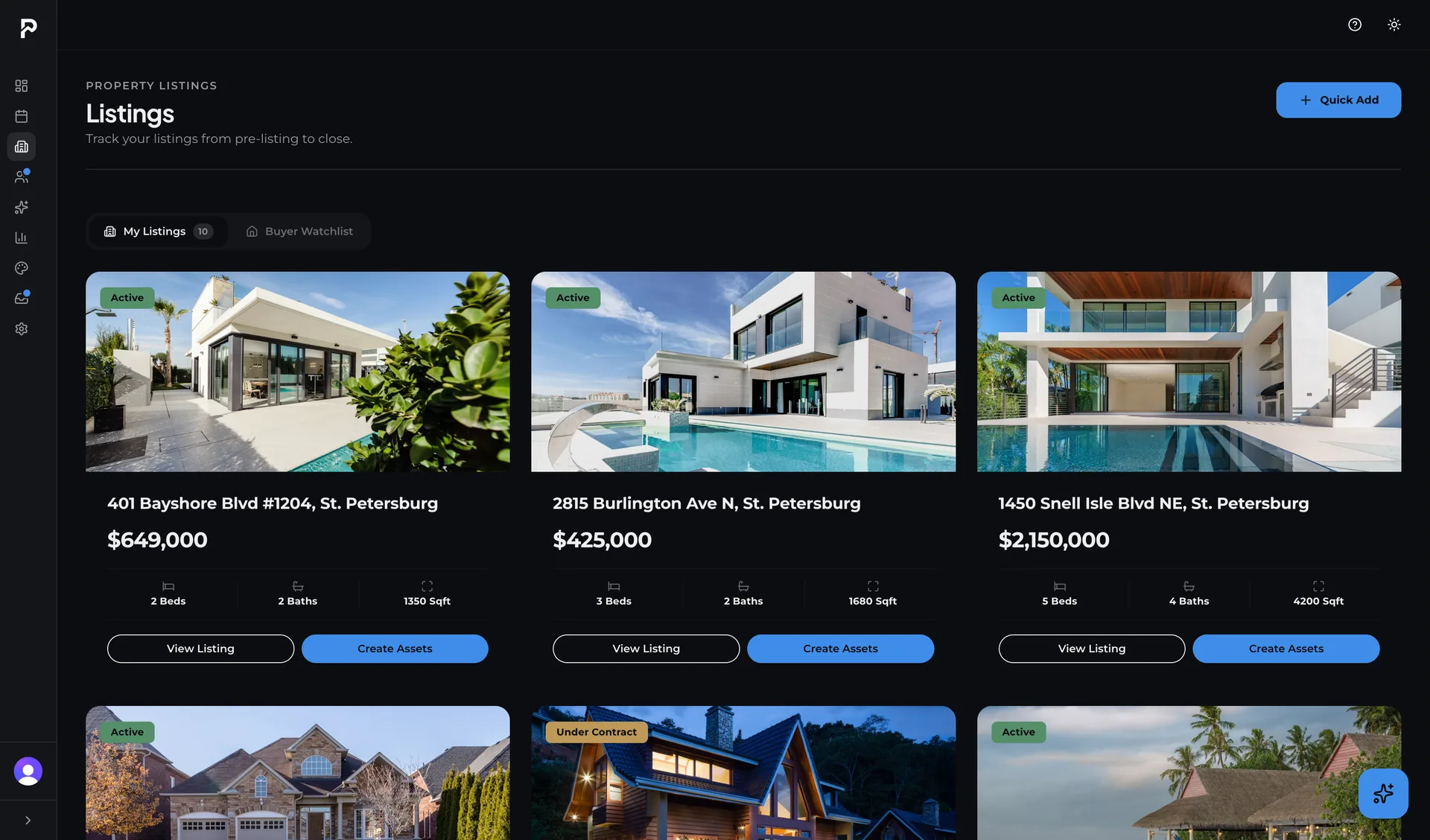
Proplo's pipeline runs four separate boards: lead triage, buyer, seller client, and seller listing. A team lead can see every agent's deals across all four without opening six different logins. That is the difference between asking for an update and simply looking.
Health Tiers and Stale-Lead Flags Across the Whole Team
Every deal in the pipeline carries a health tier: healthy, needs attention, or at risk. On a team, that badge is not just useful for one agent's own list. It is what lets a team lead scan every agent's board in one pass and see where things are actually stalling.
A daily check flags any deal that has gone quiet, whether it belongs to the team's top producer or its newest associate. Nothing depends on the team lead remembering to ask.
Propensity Bands Help You Decide Who Calls What
A team lead or an associate covering for a teammate does not have time to read a full history on every lead. That decision has to be fast, and it has to be right more often than a gut guess.
Bands, Not Scores: Not Yet Reached, Nurture, Actively Looking, Ready to Act
A numeric lead score does not solve this any better on a team than it does for a solo agent. A lead scored 82 still tells nobody what to do next.
Proplo places every lead into one of four bands instead: Not Yet Reached, Nurture, Actively Looking, or Ready to Act. Each carries a confidence level and the signals behind it. We covered how that framework works in more depth in a separate article, including why a plain category beats an unexplained number.
Using Bands to Prioritize Across a Shared Lead Pool
The real advantage on a team shows up when the pool is shared. An associate stepping in to cover a colleague's leads for the afternoon does not need the colleague's full history to know where to start.
A scan of the board for anyone marked Ready to Act tells that associate exactly who deserves the first call. It does not matter whose name is on the lead. That is a very different job than reading a private note left by a teammate who is out of office.
Brand Consistency Across Every Agent
A team's biggest brand risk is not one bad flyer. It is six agents each doing their own version of the brand, so the team looks like six different businesses wearing the same name.
Approve-First or Auto, Set Per Automation
Automating client-facing messages across a team raises a fair question: what if the automation says the wrong thing under one agent's name? The answer is control over the setting, not a blanket rule. Each automation can wait for a person to approve it, or run on its own.
Proplo's transaction and vendor-coordination messages are drafted automatically at each stage: an inspection reminder, a title company intro, a closing update. Each automation is set to Approve-first or Auto, whether it is the newest associate or the team's top producer sending it.
One Brand Kit, Every Agent's Marketing
Brand consistency across a team is not a discipline problem. It is a tooling problem. If every agent builds their own flyers from scratch, the results will always vary no matter how many brand guidelines exist on paper.
Proplo's design studio uses a shared Brand Kit: colors, fonts, and logo locked in once. Every agent's flyers, just-listed posts, and open-house materials come out looking like the same business. The AI writes the caption and headline, and the milestone posts are scheduled and automated.
How This Runs for Your Team
Everything above runs as one connected system rather than four separate tools bolted together. New leads route to agents automatically. The team lead sees every agent's deals on one shared board with health tiers flagging what needs attention.
Propensity bands sort the shared lead pool so anyone on the team knows who to call first. Each automation is set to Approve-first or Auto, so the team lead decides what waits for a person and what runs on its own. Teams evaluating a platform switch can see the full feature set here.
A team does not need six separate AI tools bolted onto six separate agent workflows. It needs one system that knows the pipeline belongs to a team, not one person. Routing, visibility, prioritization, and brand consistency work as one connected problem, not four separate ones.

Clayton Walker · Founder & Product Lead
Founder of Proplo. Ten years in marketing and motion design for the NFL, MLB, MLS, and NBA. He designs Proplo and leads its product direction. Real estate is the family business.
LinkedInFrequently asked questions
For a solo agent, AI mostly handles one person's lead list: calling, follow-up, and prioritization. For a team, AI also has to solve coordination: assigning leads across multiple agents, giving the team lead shared visibility, and keeping client-facing messages consistent no matter which agent sends them.
New leads are assigned to agents automatically, often on a round-robin basis, the moment they come in.
Yes, with a shared pipeline board. Instead of checking each agent's individual CRM login, the team lead views every agent's deals, stages, and health status in one place, including flags for deals that have gone quiet and need attention.
Propensity bands sort leads into plain categories, such as Not Yet Reached, Nurture, Actively Looking, and Ready to Act, instead of a numeric score. On a team, this lets any agent scan a shared lead pool and know who deserves a call first, even on a lead they did not personally work before.
It depends on the setting. In Proplo, each automation is set to Approve-first or Auto. Approve-first messages, such as transaction updates or vendor intros, are drafted at the right stage and held for the agent to approve before sending. Auto runs on its own. Listing-milestone posts are scheduled and automated.
A shared brand kit locks in colors, fonts, and logo once, so every agent's flyers and social posts pull from the same set instead of each agent designing their own version. AI drafts the caption and headline for each piece(delete this span, leave nothing in its place).